How do I update my / my campers flight info?
To update flight information:
- Log in to your account and click on “My Registrations”
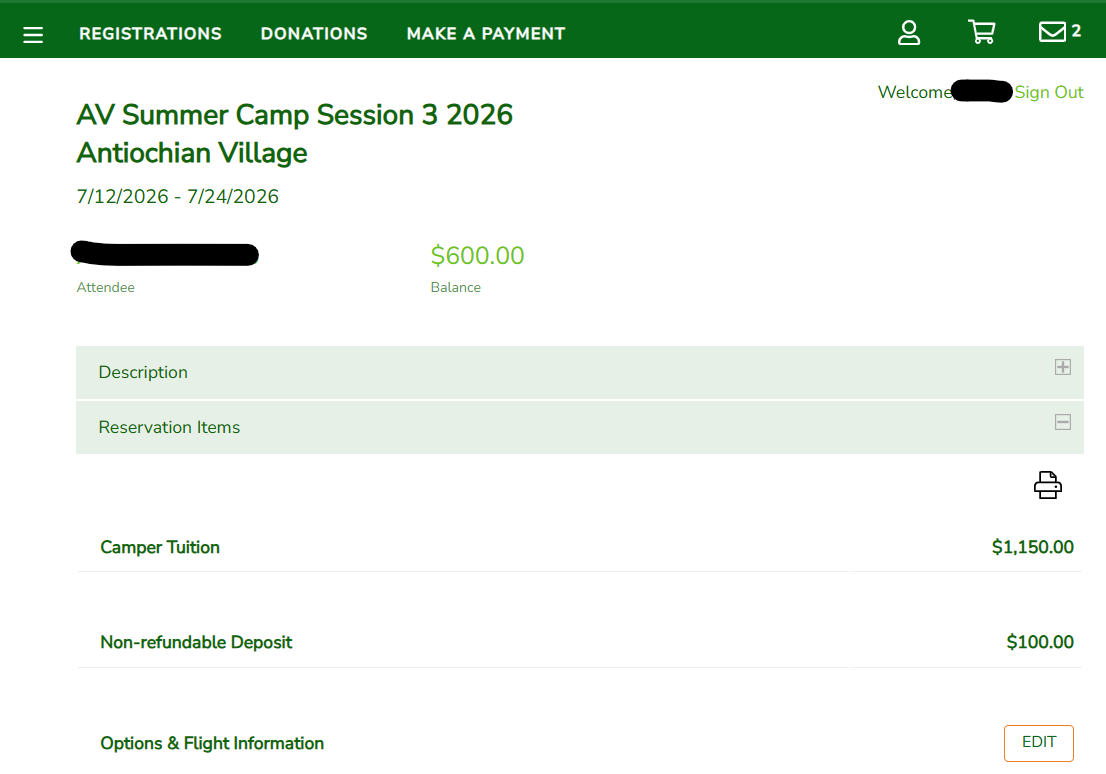
- Under “Registration History” choose your child’s registration you wish to update
- Scroll down to “Options & Flight Information” and click the “edit” button on the right
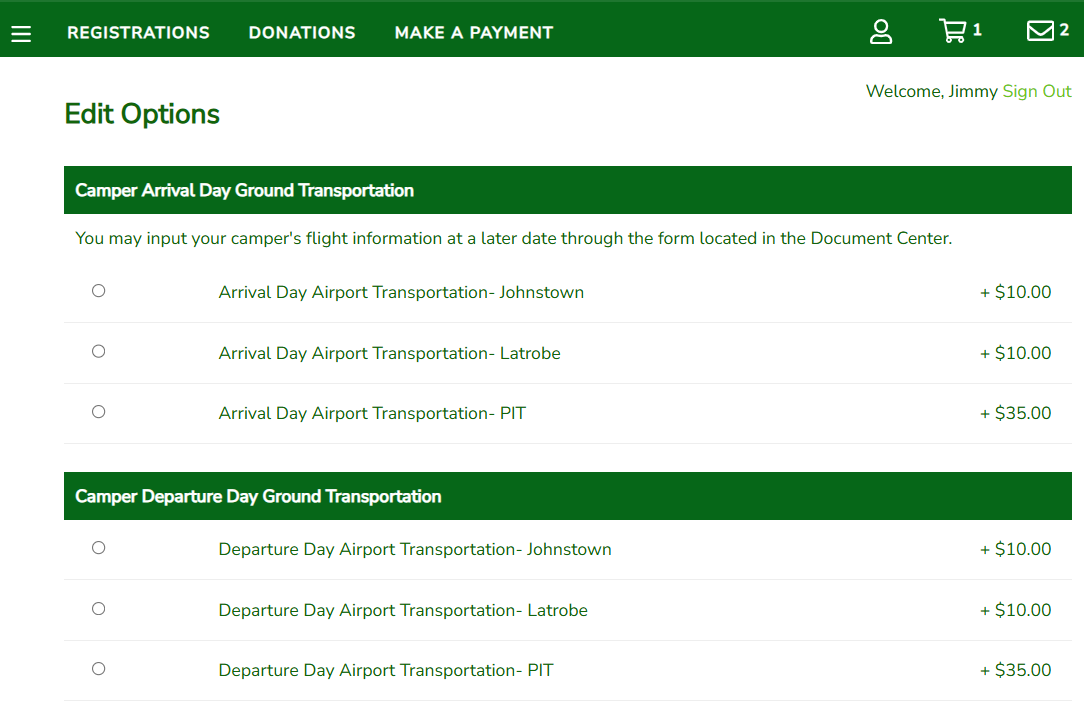
4. Choose the location(s) where your child will be arriving and/or departing and then click next:
5. The next screen will prompt you to enter your flight information.
6. Flight information must be entered for each child’s registration even if they are on the same flight.