Please read ALL INFORMATION below prior to registration, registration button found on step 4
How to Register for AV Programs
As of 2026, we have switched to a new registry system for all programs on UltraCamp (except for WAMP 2026).
Registration is completed through UltraCamp, our secure online system designed to make signing up as smooth as possible for families.
Step 1: Create your family UltraCamp Account
Step 4: Register Online
Once your account is set up and you are logged in, you can follow these images to register
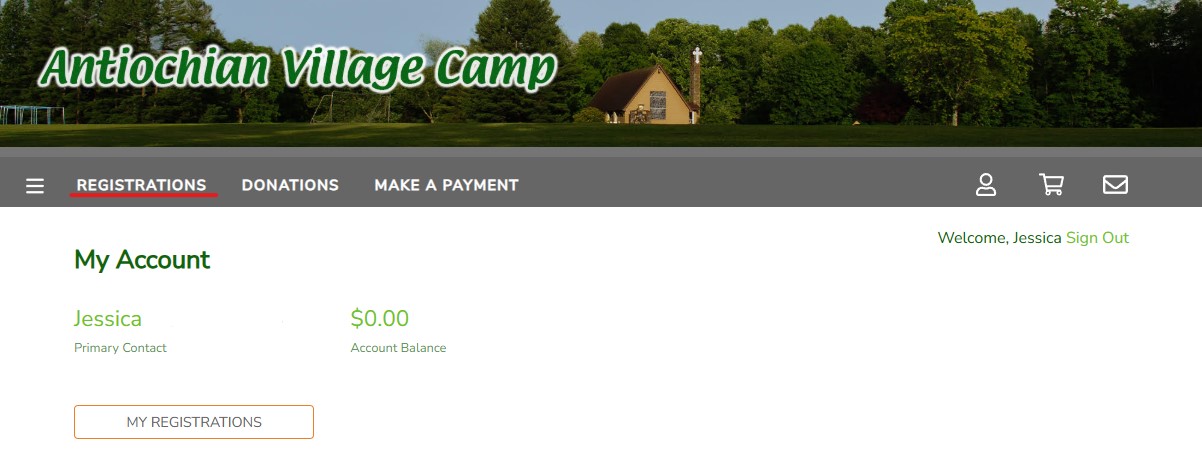
1. On the homepage, click “REGISTRATIONS”
2. Click on “NEW REGISTRATION”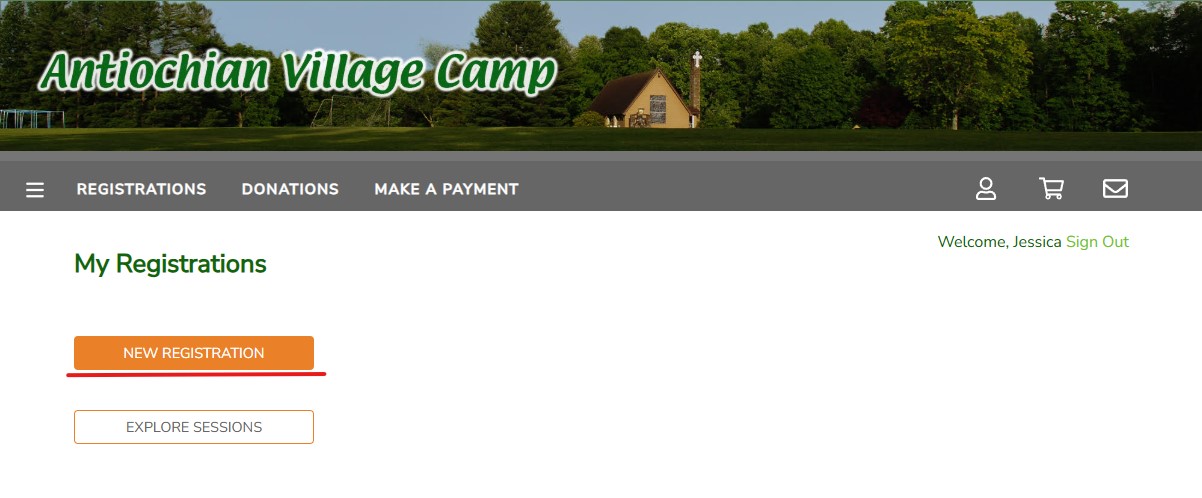
3. Select your reservation type (Hint: You will select “INDIVIDUAL” for most camp programs, and “FAMILY” for Family Camp programs)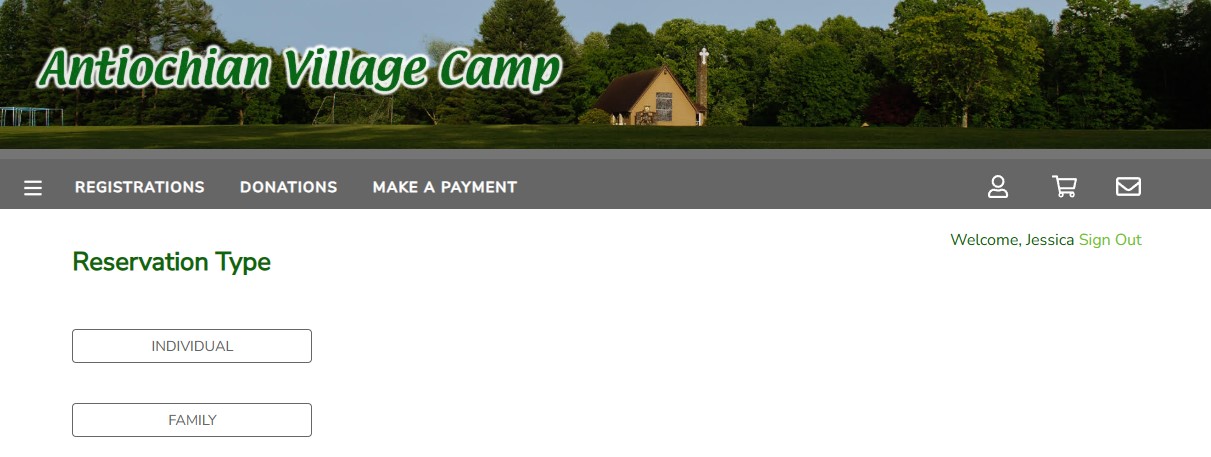
4. Select the person in your family who you would like to sign up for camp (if you are registering multiple children to camp, pick one for now and continue with the next steps)
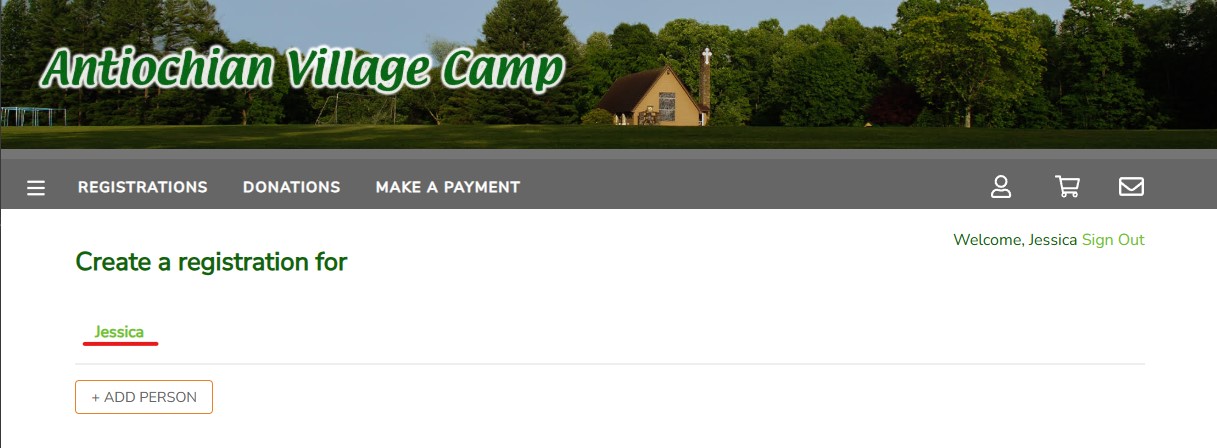
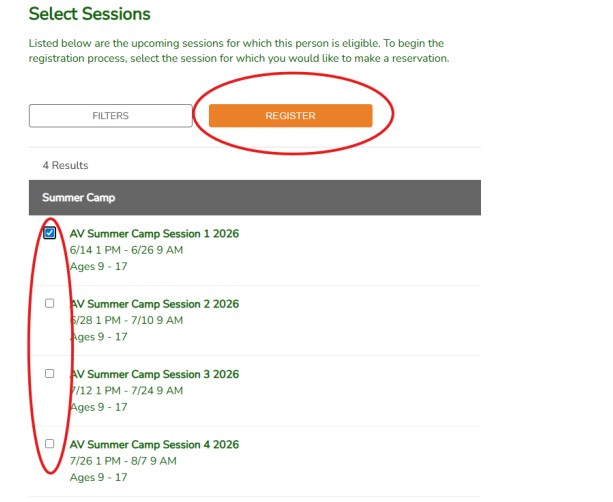
5. Select which program/session and then click “REGISTER”
6. You will be asked “Do you want to make an additional selection for other account members?” If you are registering multiple children from your family, please select “YES.” If you are only registering one child, select “No, Continue Registration.”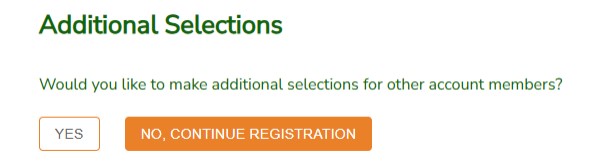
7. You will now begin the registration process, and a 15-minute hold will be held for you to complete the registration. You must complete the process including payment to confirm your child’s spot. (Note: The 15-minute hold is an idle hold, meaning if you close your laptop or leave the screen on without completing the registration, you have 15 minutes or you will be put at the back of the line for registration)
Once you have carefully read all instructions above, use the following link to complete our online registration*:
*Please note that a deposit of $100 will be required upon registration. This deposit is non-transferable and non-refundable; exceptions may be made at the discretion of the Camp Director.
Fill out Medical Information
Your camper’s health and safety are our #1 priority. To adequately serve our campers, our health care staff needs enough time to prepare for their arrival. Therefore, all healthcare information including completion of the online health information, the completed and physician signed medical exam form, and, if applicable, the completed and parent/guardian and physician signed FARE Food Allergy and Anaphylaxis Emergency Care Plan form and/or other Specialty Medical Forms are due April 30. If the health information is submitted and completed by April 30th, you will be refunded the $50 Medical Information fee. If you are unable to meet the April 30 deadline, please contact the camp office in advance at office@avcamp.org to request an extension. Physician Exam Forms must be signed and dated on or after May 1 of the previous year to be accepted.
The Health History & Information for your camper may be submitted online by logging into your account and clicking on the link to the Medical History, Physician Exam Form or appropriate Action Plan under your camper’s name. Our Camp Nurse reviews all medical forms in advance. If your child has any medical issues or conditions requiring special accommodations at camp, please contact the Camp Office as soon as possible. Please do not allow embarrassment to prevent us from providing adequate care for your child in your absence. The form is confidential and the information is only available to the Camp Director and the Health Staff.
Stay Connected during Summer Camp
Camper emails have switched to UltraCamp! You can access the Message Center from the button below or simply log on to your UltraCamp account and press the mail button on the top right of the navigation bar and follow the prompt to buy an email block. If you have questions please contact office@avcamp.org